live-directed creator studio
Leevo
record once. edit less.
Record vertical videos with the layout, framing and scene structure decided live. Then refine the moments that need it.
01_the_old_way.log
A tutorial, app demo or reaction video often starts with more rebuilding than creating. Record a screen, record a camera, import both, resize them, move them, and repeat the same vertical setup on the next take.
Leevo is for creators who are tired of reconstructing a familiar layout after every recording.
02_direct-while-recording.md
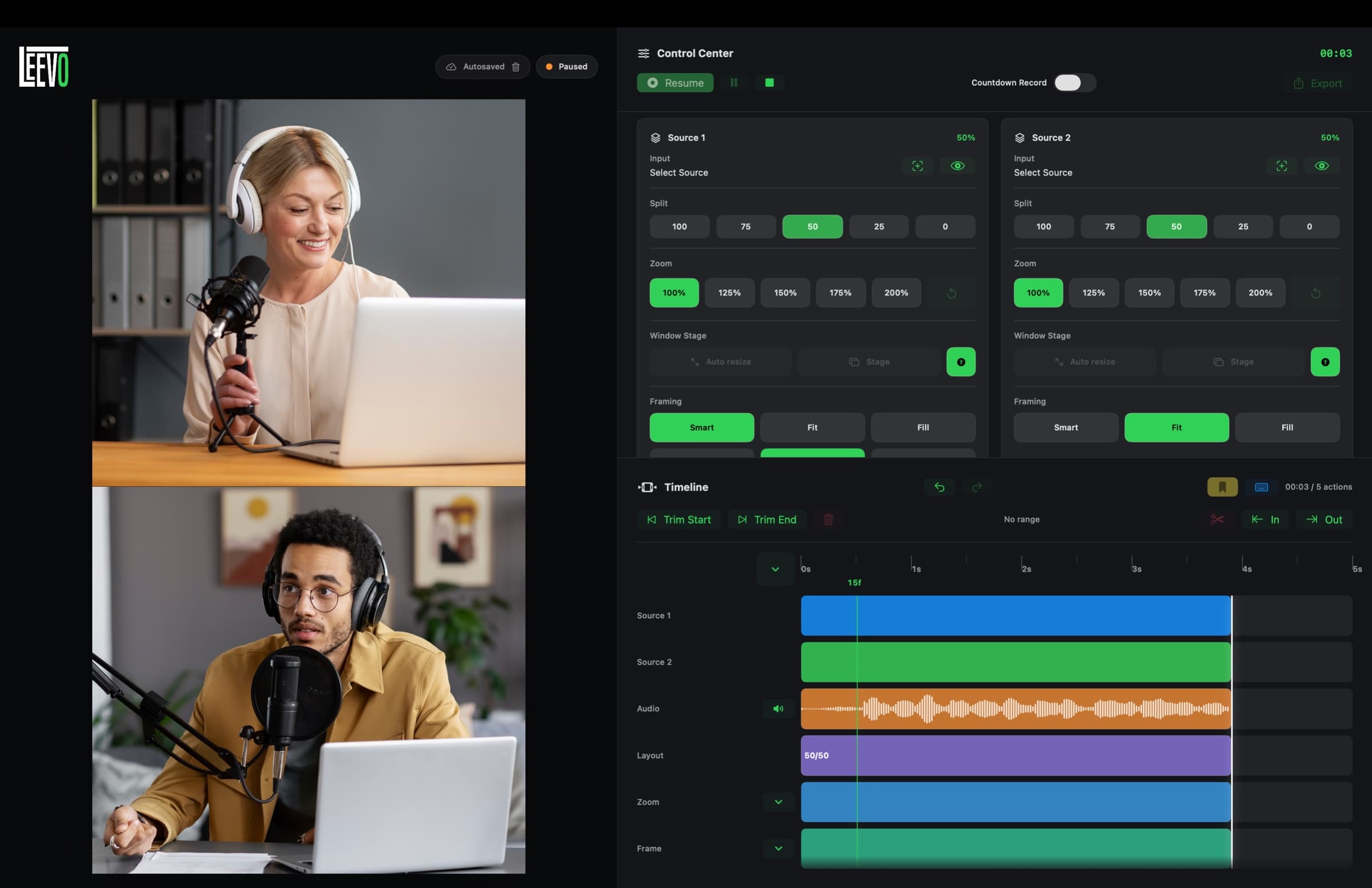
Leevo lets you direct the structure while you record. Change layouts, decide which source leads, adjust framing, use popup states and mark moments as they happen.
Those choices are saved as editable timeline actions, so the recording arrives with its visual structure already in place instead of asking you to rebuild it from scratch. When a take needs a small correction, there is a timeline to return to instead of a pile of disconnected clips.
03_built-for-9x16.txt
The workflow starts with a 9:16 canvas and stays there. It is made for tutorials, screen recordings, reactions, interviews and commentary intended for vertical platforms.
A screen, a camera and a conversation can share one clear composition from the first take. The goal is not to make every edit possible. It is to make the recurring decisions faster and the finished video more consistent.
04_not-a-traditional-editor.txt
Leevo includes editing tools, but it is not trying to become a traditional editor with unlimited layers and endless effects. It is a focused creator workflow: direct live, make small refinements, export something ready to post.
It is a macOS app for people who would rather spend their time explaining, reacting or showing the thing than rebuilding the same canvas one more time.